



Communication problems in RS-485 networks are common in building automation projects, usually due to small installation errors. To ensure smooth and reliable communication, it is essential to know and apply good wiring and connection practices. Below, we review the key points that should always be considered.
Search products by name
Tips to avoid communication problems in RS-485 networks
#morgui news
1/12/2025
1. Understanding the protocol
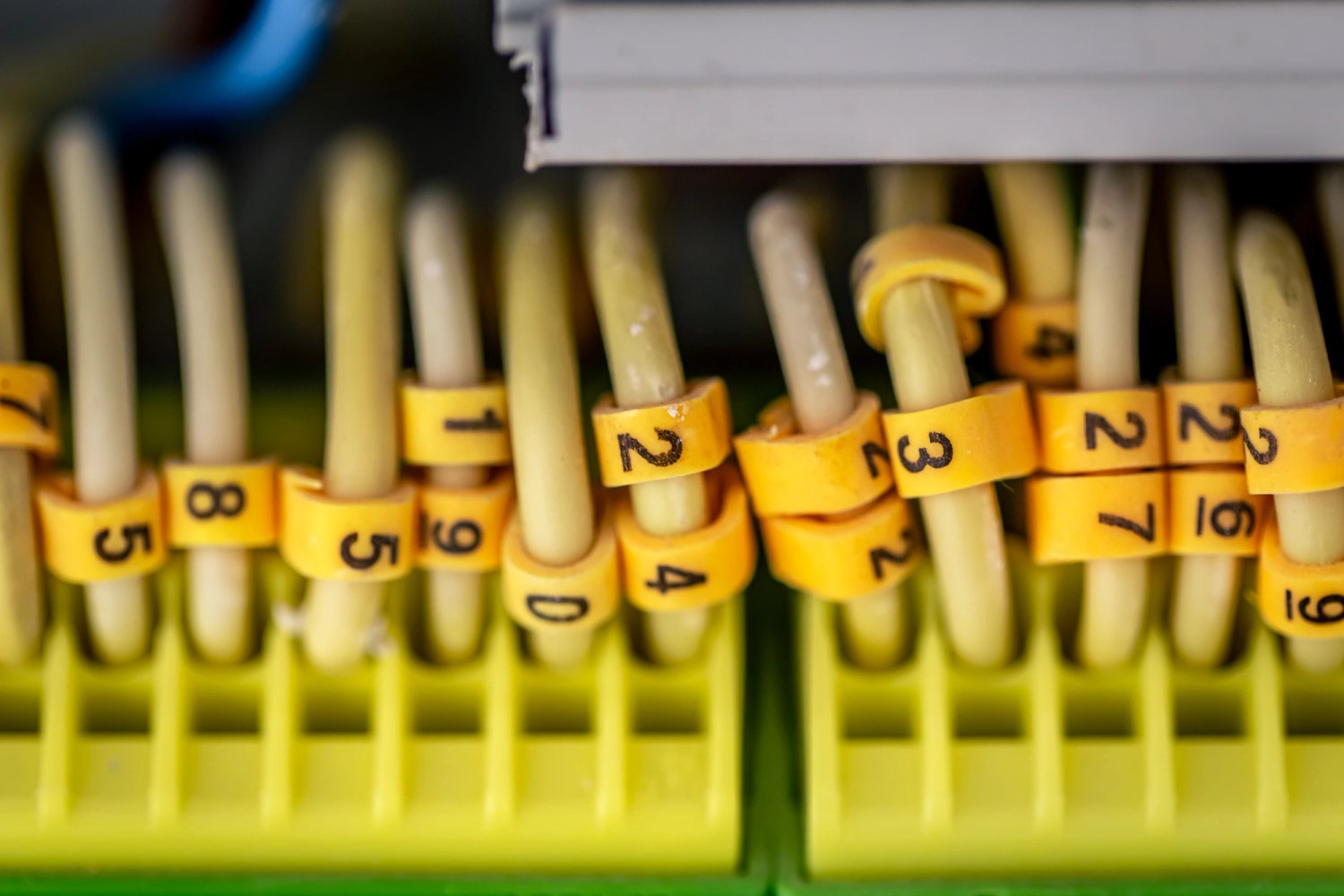
When installing an RS-485 network, it is essential to understand that Modbus RTU over RS-485 is a master–slave protocol, in which the master always initiates the communication and the slaves only respond to its requests. In a single network there can only be one master, but up to around 247 slaves can be connected depending on the allowable load.
Each slave device adds load to the network (UL – unit load). Older transceivers consumed 1 UL, while modern ones are typically 1/4 or 1/10 UL. In practice, with good wiring and a careful installation, segments of between 60 and 90 reliable devices can be achieved.
2. Cabling: the main character
The RS-485 cable must always be a shielded twisted pair with an appropriate nominal impedance (typically 120 Ω). It is recommended to request the cable’s technical datasheet from the supplier to verify its suitability.
The maximum length of an RS-485 segment depends on the baud rate: it can reach up to 1200 m at 9600 baud and is reduced to approximately 300 m at 38400 baud. To ensure stable communication, it is advisable to use cables with low capacitance (< 60 pF/m) and specifically designed for RS-485, such as Belden 9842.
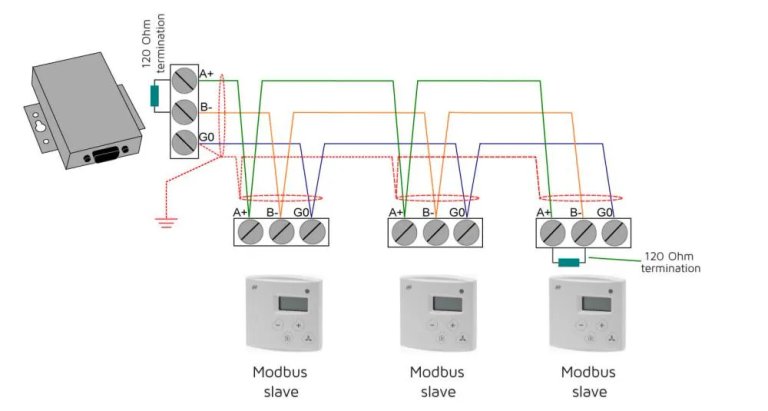
Although people often refer to a “two-wire system”, the ideal solution is to use three conductors: one pair for the data lines (A+ and B–) and an additional conductor for G0, which acts as a common ground reference. This solid G0 helps equalize the electrical potential between devices and prevents issues caused by reference differences.
3. Grounding and shielding
Good grounding is essential, especially if there are high-power devices nearby (elevators, motors, AHUs…) or frequency converters.
Cable shielding is not always mandatory, but it is highly recommended in electrically noisy environments. The shielding must be connected at only one end (preferably at the gateway or Modbus master), never at all devices, in order to avoid ground loops.
4. Avoid branches: always use daisy chain
The correct topology is a daisy chain, connecting the master to each device and each device to the next, avoiding branches, as these generate signal reflections and losses.
Make sure all A terminals are connected together and all B terminals together (some manufacturers swap the naming), and avoid star connections, which are a common source of communication errors. If the terminals have GND or REF, they should be connected together, especially if the devices are far apart or have different power supplies.
5. Line terminations
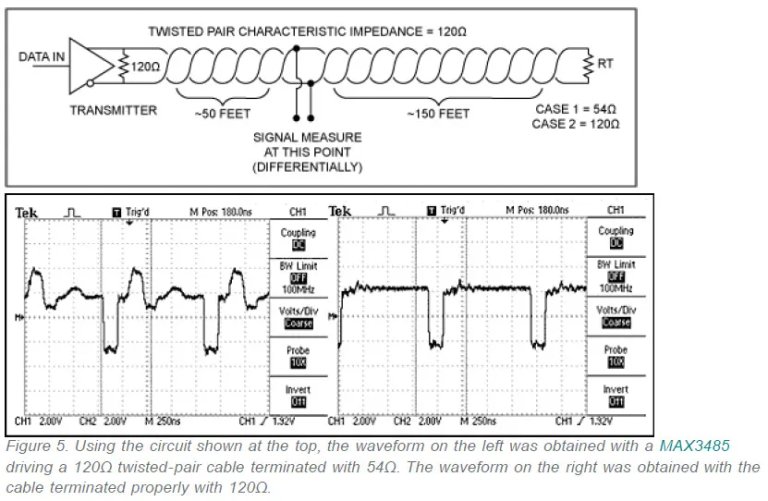
A key aspect to ensure stable communication is the correct line termination at the ends of the bus. A 120 Ω resistor must be installed on the first and last device of each segment, as an incorrect or asymmetric termination can cause reflections and intermittent signal errors.
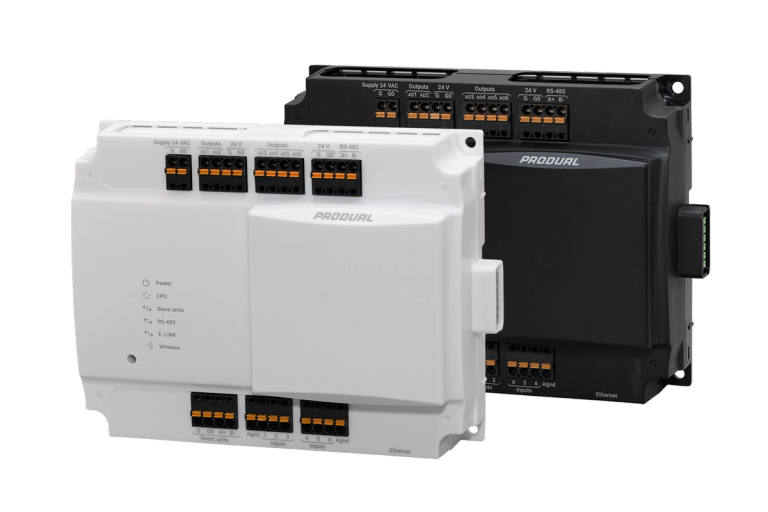
For Produal controllers and transmitters, it is important to check that the end-of-line jumper is placed at the network ends.
6. Keep interference under control
Modbus cabling should never share a path or conduit with power cables, as electromagnetic interference can cause communication errors or even damage transceivers.
Whenever possible, power circuits should be physically separated from signal circuits to keep interference under control.
Conclusions
A properly installed Modbus RS-485 network is synonymous with reliability, efficiency, and peace of mind. The key is to: ✔️ choose the correct cable, ✔️ respect line terminations and daisy-chain topology, ✔️ maintain proper grounding and shielding, ✔️ avoid external interference.
By following these best practices, Produal Universal Controllers and Terminals will operate optimally within the Building Management System (BMS), ensuring stable and error-free communication.